OSINT / WRITEUP
BrunnerCTF - Unknown Artist
This challenge was probably one of the more short and entertaining OSINT challenges that we’ve tried our hand at recently. The entire vibe here can best be described as a mix of Portal and the @dadfeels YouTube channel. Shoutout to Ha1fdan, the author of this challenge.
An employee at Brunnerne Inc. has made a musical project… but no one actually knows who they are. According to the company, this artist has been using a secret platform to hide a flag and the company has asked us to retrieve it. To help us get started, they have given us a file named osint_unknown-artist.zip
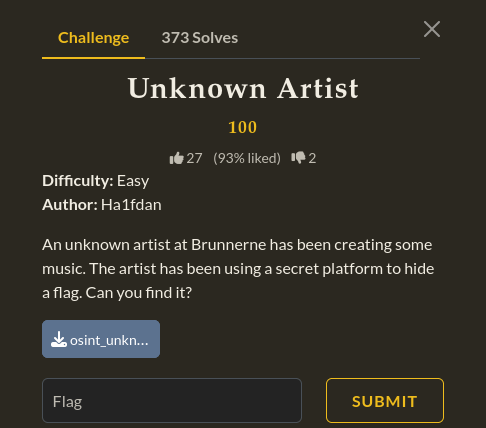
<- First, we will take a look at everything the file contains ->
We extract the contents of the .zip file and it contains a file named BrunnerneInc.mp3. We play it and sure enough, it does indeed contain a song. It sounds like some 80’s style synthpop and the lyrics are in relation to corporate office work. Now, if this were a stegonography challenge, we might run this track through Sonic Vizualier or Audacity to see if there is a flag in the spectrogram. But since this is purely an OSINT challenge, we will go ahead and skip that for now. Instead, we decide to head over to our terminal and run exiftool on the file in the hopes of finding our first real clue. We want to make sure that we can see everything in this file and we want the output to be grouped and organized so we aren’t just sorting through an unorganized list of things, so we will do exiftool -a -u -g1 BrunnerneInc.mp3 . Now, this is technically an OSINT challenge so if we were approaching it in the traditional OSINT way, we could achieve this same thing by simply running the file through an online platform like CyberChef.
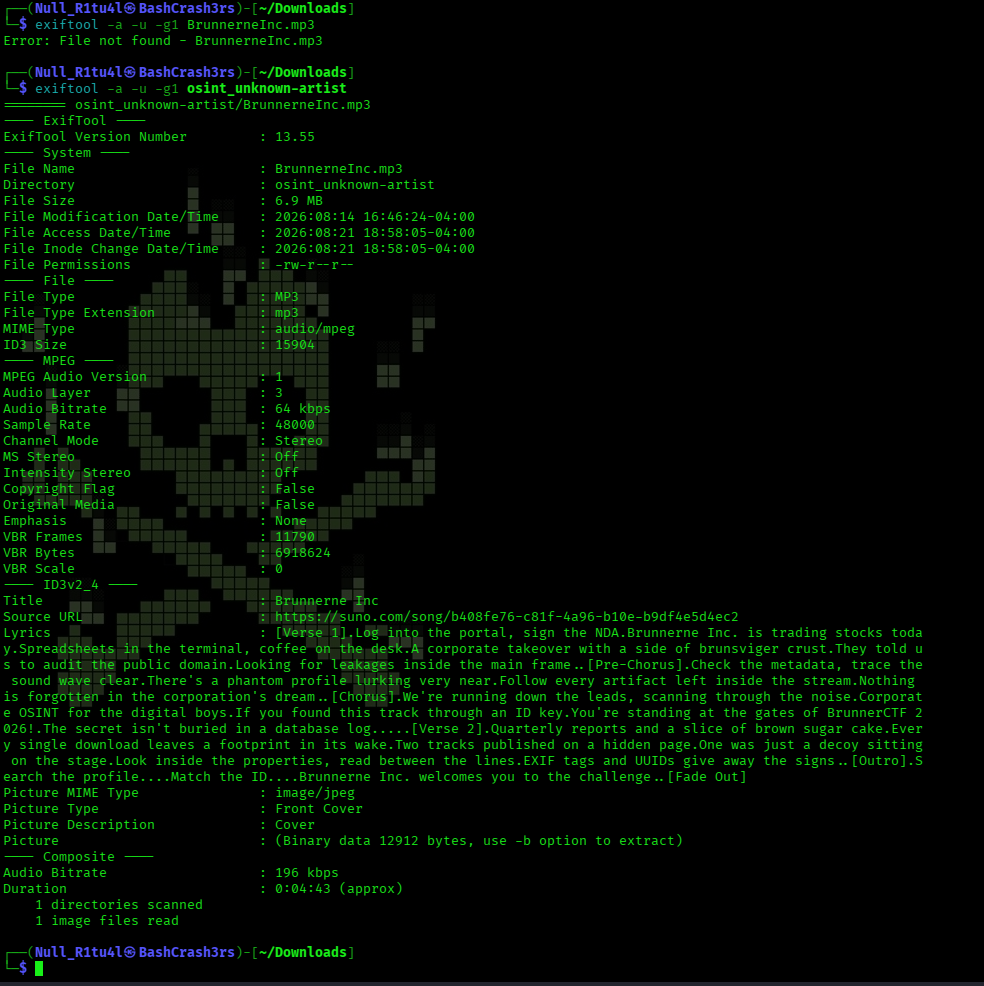
Our exiftool finds a few really good clues for us to expand out from. Toward the end of the output, we can see that the lyrics for the song can be found here and there is even a URL that goes to the AI music website Suno.
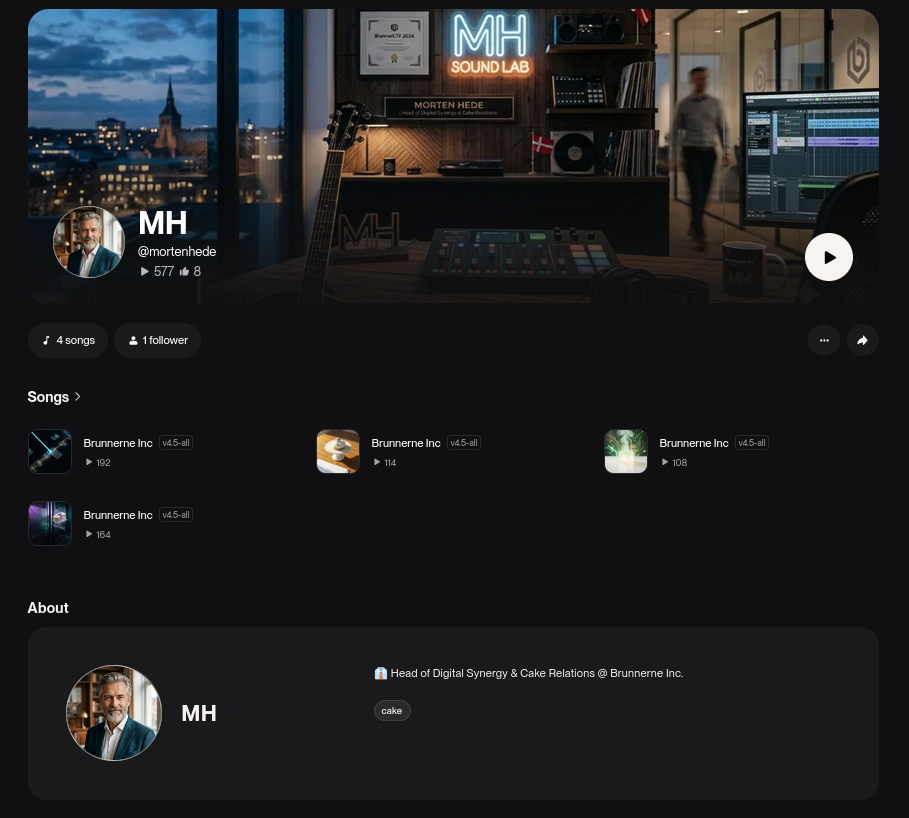
<- Artist profile ->
If we visit that URL we found, it will take us to an artist profile where we see four songs that they have published.
If we click on any of these songs and read through the lyrics to these songs we are directly told a few things. The most important clues that these songs give us is that we will need to trace the soundwave by following every artifact. It also hints at ID keys being important to our search but that the flag is not going to be hidden in a database log. All of this amounts to needing to find ID keys and group them together in a specific order.
If we look at the top of the page for each song, we see what looks like a small string of base64. So, logically, we want to visit each song page and copy each of these base64 strings.
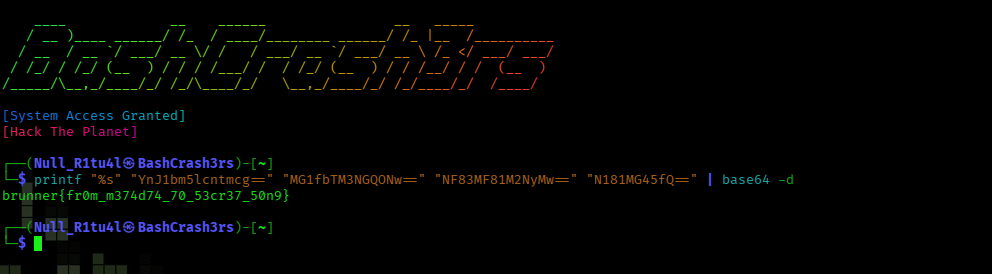
<- There is our flag! ->
Once we’ve got all the strings, or “user IDs” collected, we will take those and concatenate them. But first we need to know in what order they should go. But since the song lyrics hint at tracing something back to the source, presumably we need to start with the last song listed and work backwards. We then string them together in this order and run them through our terminal to translate the base64 into readable text and string them all together to see what it gives us. We do this with printf "%s" "YnJ1bm5lcntmcg==" "MG1fbTM3NGQONw==" "NF83MF81M2NyMw==" "N181MG45fQ==" | base64 -d and the terminal spits out the flag we were searching for.